This is just something low-stakes for me to get in the habit of posting my WIP work, so here's what I'm working on right now!
Work in Blogress
11/01/2022
Mao Mao: Project Hiatus
I've started a new job which is very exciting, but that means I don't have time right now to work on this project. Hopefully I'll return to this soon!
10/25/2022
Mao Mao: Lighting and Shader Progress 03
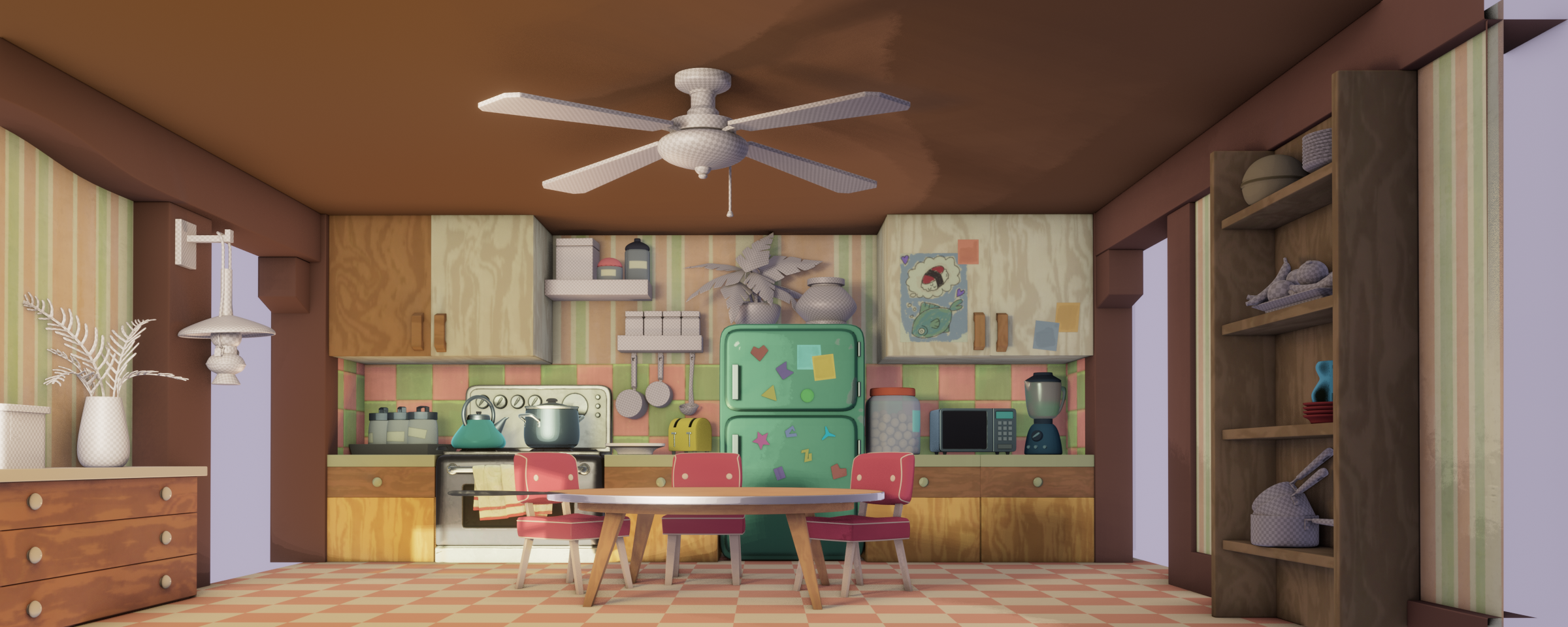
Been a little busy, but I'm still slowly roughing in all the assets! I think I'm about halfway through all the Multipacks now.
Discovering some interesting shader interactions with the semi-opaque objects along the way, like what seems to be an incompatibility with Screen Space AO effects. I figured that might be a rocky patch in my workflow going into this and I wasn't wrong lol. Once I get all the assets some barebones surfacing and properly referenced again, I'm going to revisit how I built the transmissive portion of the master shader and update everything accordingly.
10/13/2022
Mao Mao: Lighting and Shader Progress 02
I've roughed in a handful more Multipacks and refined some lighting stuff!
Even with all the work I've put into streamlining the process, there's still a lot of setup/file manage-y type work that needs to be done for each of the 70ish assets- so that's the current sticking point. There's not really anything left to be done about it though, I just have to keep picking away at it in my free-time and it'll come together in time.
But in total the project is about 60% complete now so that's pretty exciting!

10/04/2022
Mao Mao: Lighting and Shader Progress 01
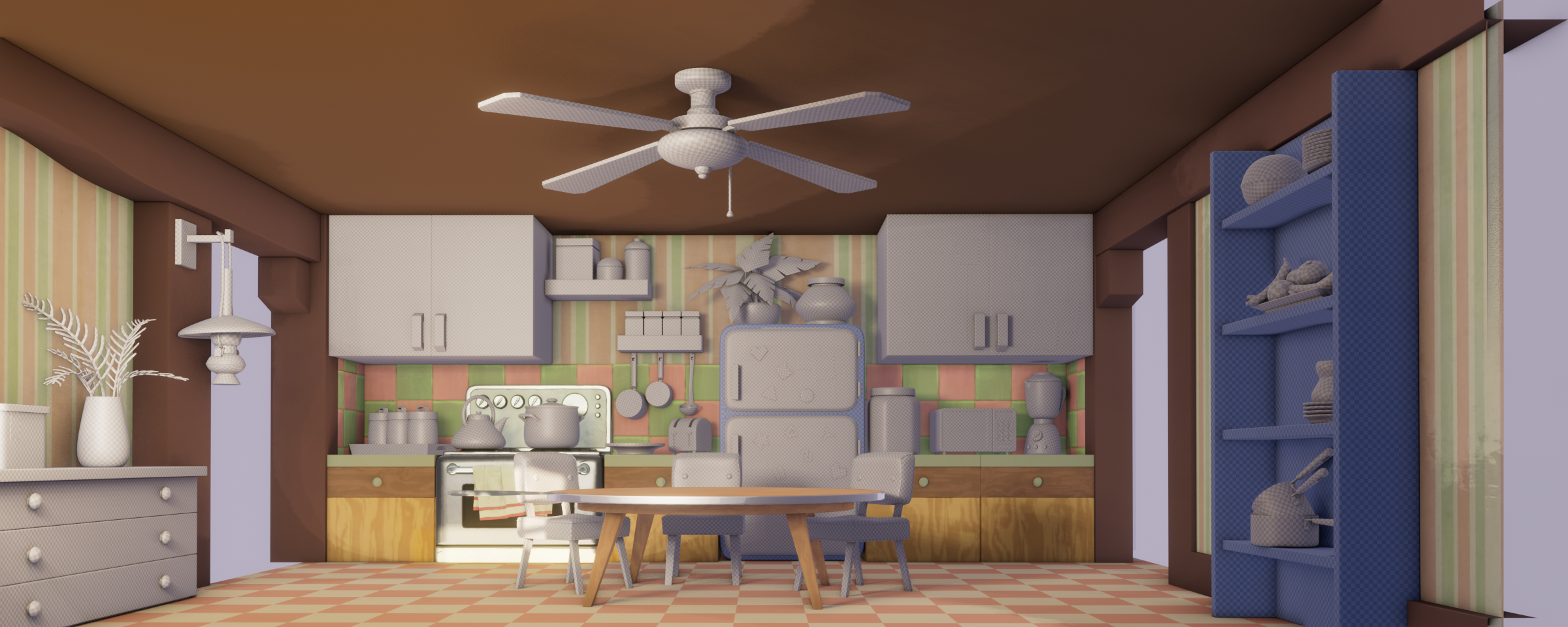
Things are slowly taking shape! And speaking of shape, there's actually some half decent shaping in the scene now thanks to my continued lighting efforts. There's still plenty of work to be done, and I also have to figure out if I want to handle problems (like how much spec the oven is picking up) from a light or asset standpoint. Right now I'm leaning toward tackling it asset-wise since it'll offer me more control, but that means I likely won't fix those sorts of things until much further down the road.
I've also done a really basic pass on another multipack (which contains the table and all the floor cabinets) as you can probably see. They're still super rough, but I'm planning on knocking out all the setup and infrastructure for every asset before I really start polishing anything. That way I can just overwrite the existing image textures on disk and iterate quickly!
10/03/2022
Mao Mao: Initial Lighting/Shader Tests
I've been wrangling with real-time lighting, but I think I've started getting something that's nearing the conversation of the vibe I'll eventually want! Things are definitely still WIP on the shader/texturing front, like the oven is picking up too much light in the scene, the tiles are misaligned and the wallpaper has no real breakup on it. But I wanted a half decent light rig to start testing the assets against.
Also, here's a standalone look at the oven with just a basic HDRI setup.


09/28/2022
Mao Mao: Knock on Wood
Okay! So, I found a new image library yesterday afternoon (opencv), and I've finished replacing all the code I had that relied on PIL's functionality. Good news is I ran all my tests and everything is back to behaving as expected, but the slightly sad news is it no longer reports as large of an optimization. It makes complete sense because now the bit depth of the images is maintained and not truncated down to 8bits, but I miss my 70% improvement metric lol
I think now I can get back to iterating in Painter and developing the look in Blender, but uh, knock on wood!
09/27/2022
Mao Mao: Just kidding
Found out late yesterday that PIL doesn't seem to have support for 16bit RGB images, which is introducing a lot of artifacts in my normal maps. I'm on the hunt now for a new python image library, which is a bummer because PIL was really easy to work with. We'll see if I can find a good replacement though!
09/26/2022
Mao Mao: Script Rework
Surprise, surprise! I hit a little speedbump once I started combining my painted maps and the master shader. It just wasn't quite giving me the look I wanted, and when I started making the necessary changes, my Stacking/Packing script started showing some holes. The previous version made a lot of assumptions and didn't make any intelligent decisions so it was failing to really accomplish anything after I changed the initial parameters.
So after one fairly substantial rewrite, V2 is fully operational! It handles any number of maps (with any number of associated UDIMs) and will always pack everything as full as possible (but for real this time). With this out of the way, I should be free to export whatever I need from Painter and not have to get bogged down with worrying what my code can handle!
09/15/2022
Mao Mao: Multi-Packing Proof of Concept
I've been working on my master shader group and I think it's in a decent spot now, but I don't really have anything to show yet. Here's some other miscellaneous stuff I've been up to though!
I finally got my wacom driver issues sorted out, so I did a lot of experimenting with custom brushes in Painter. I think they'll be pretty useful once I really get to painting. For now though, I've just done a really basic pass at the two oven assets to fully test my workflow.
Speaking of workflow, I needed a tool to help me combine all the different multi-packed asset textures to actually make use of all the time I spent packing and optimizing UV's. There was no way I was going to manually Photoshop all of them together, and have to redo that work whenever I updated the surfacing. So, I wrote a 120 line Python script to do everything for me! It relies on the PIL library for all the image manipulation stuff, so I just point it to a folder with all of the different asset texture maps, it finds and sorts every image, stacks them together based on their UDIM, and also channel packs everything it can. For the oven multi-pack it resulted in about a 75% total file size reduction, which was really promising!
I think with that everything is set up and ready to go, so now all that's left is surfacing everything! (And probably also reworking things I can't foresee right now lol)

09/07/2022
Mao Mao: Final Models and UV Multi-Packing!
Been a little bit since the last post, I had to take a week and some change away from this project to spruce up my demo reel, but I've made some sizable progress!
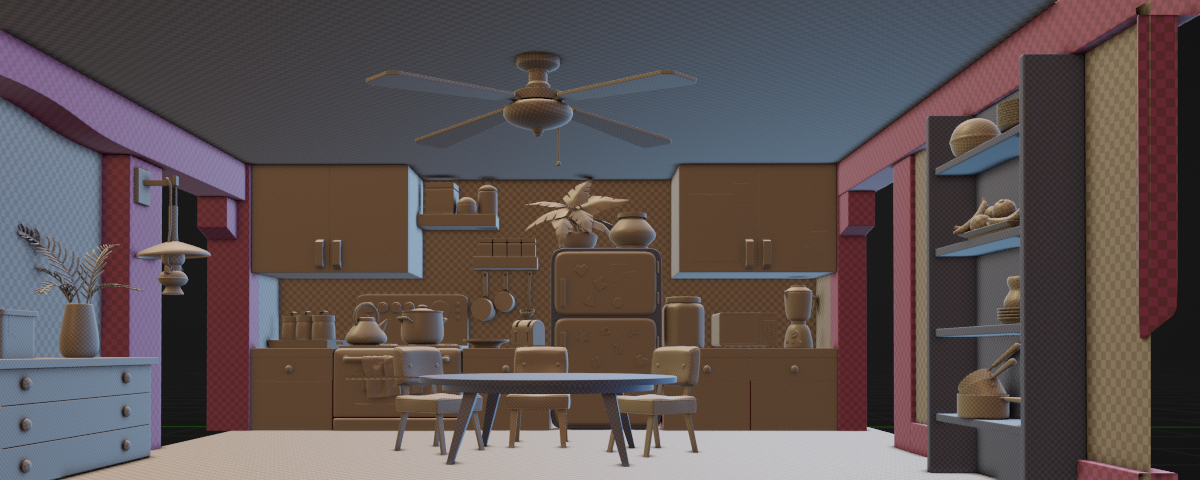
All the models are done now and all the UV's have the right texel densities. On all the projects I've done before, each individual asset gets UV'd into one (or more) UDIMs. This has the benefit of maximizing the resolution of every asset, but in a lot of cases provides waaay more than necessary. Because I want to utilize Blender's real-time render engine for the NPR look, I put a lot of effort into optimizing the total UDIM space the scene uses. There's about 70 assets (if you include the variants), and I've managed to squeeze everything into 38 UDIMs, which I think is going to provide a pretty significant performance boost! I'm also planning on channel packing all the maps once I actually start painting to further optimize memory and read/write times. I've got a few more improvements to make to the master shader group before I should start bringing models back into Painter though.
Here's a look at the UV'd set and some random camera angles!
Also, I'm pretty bummed that Warner/Discovery has removed all traces of Mao Mao from HBO and their websites. It's a really good show and the crew deserve better :(


08/04/2022
Mao Mao: Model Progress 04
It's coming along now. I feel alright about the state of everything on this side of the room! All the assets have already uvs but I have a plan to alter them once everything is done so I can better group the texel densities and optimize the texture maps. I also still have the back half of the room to work on, but that's coming along too.

07/28/2022
Mao Mao: Model Progress 03
Sizable progress! All the assets on the main wall are finalized now, so the left and right sides are next on the todo list.

07/24/2022
Mao Mao: Model Progress 02
Feeling a lot better about how close everything is to the reference! There's still a lot of proxy models that need to be turned into final versions, but I'll get there eventually.

07/13/2022
Mao Mao: Model Progress 01
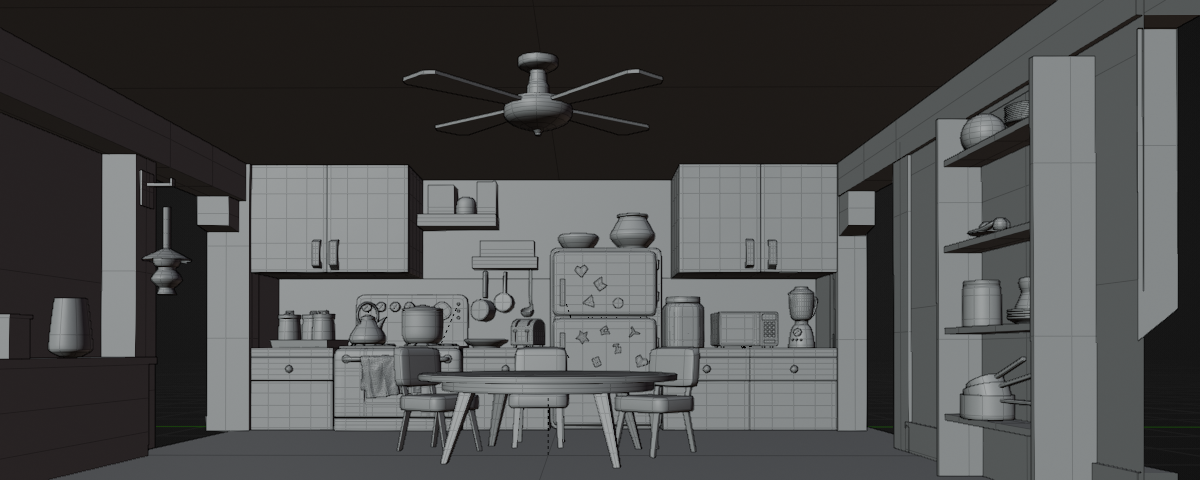
After a good bit of fiddling, I've more or less matched the camera from the main reference image I'm using! That's made it a lot easier to compare my models and tweak things as necessary. For instance, I've seen how most of my assets have more or less the right proportions, but they're missing the chunky, substantial feeing in the artwork. I'll have to revisit everything in the next week or so, but here's the current set:
06/24/2022
Mao Mao: Blender Look Dev Automation Done!
Okay! So, like all things, that took a little longer than I expected. But I'm very pleased with what I've written. Hit a few road blocks along the way (particularly when it came time to making the code an actual Blender Plugin), but everything's working now. I could definitely improve some stuff, but it does exactly what I need it to do for now. Speaking of what it does, here's what it does!
- Creates a render camera based on the focal length provided and positions the camera in the optimal spot so the entire asset is always within frame (even as it turns)
- Creates a Macbeth Color Checker chart from scratch, with no dependencies, and positions it and a chrome and matte sphere in the bottom left and right corners of the frame (and correctly accounts for different aspect ratios)
- Creates a nice sloped background plane for the asset to sit on that's only as large as it needs to be to fill up the frame
- Allows you to set the desired frame length of the turntable
- Allows you to add a light only turntable after the asset finishes in order to better gauge how the asset looks when lit from different angles
- Allows you to pick which HDRI map you'd like to use in the scene
- And more nitty-gritty advanced parameters!
05/31/2022
Mao Mao: Blender Look Dev Automation Starts!
In preparation for a more focused modeling sprint, I've decided to create a plugin for myself in order to have an automated presentation turntable for each asset. The default blender look dev overlay is helpful (with the chrome and matte spheres to compare lighting), but I would like my version to include a Macbeth Color Checker as well as automatically create and position the camera so no part of the asset is out of frame. That sort of fiddly work is something I'd really like to avoid, so if I can write something in Python that will streamline the process I think it'll help me iterate faster and improve the look of all the assets in the scene.
05/22/2022
Mao Mao: Scene Update
While blocking the set, I've been doing a lot of testing in order to come up with a feasible and functional workflow for myself. Initially I had some issues with image texture references not being preserved by Prism (the open source project/asset pipeline I use), but I found a fix eventually! In your Blender file you want to make sure that Edit > Preferences > Save & Load > Default to Relative Paths is unchecked, and you might also want to do File > External Data > Make Paths Absolute just for good measure.
The more annoying problem is tied to Blender's library overrides, however. It doesn't allow me to change parameters on any referenced shader networks, which is a bummer because I wanted to be able to easily switch between different shading variants of an asset after it's been referenced into a set. I found some devlogs and other murmurings that said the feature worked in the newest version of Blender, but it turns out that at the time of writing this Prism's Python API is incompatible with Blender 3.1. So My current procedure is to add an export step for each variant separately.

05/09/2022
Mao Mao: Texturing Explorations - Substance Designer
I can't help but feel like I may have rushed the models somewhat, so instead of putting good money after bad, I did a little work in Designer to get a feel for how I can match the base materials I've seen in the show. I had to put this min-breakdown together for another reason so I might as well post it here!

04/22/2022
Mao Mao: Texturing Explorations - Substance Painter
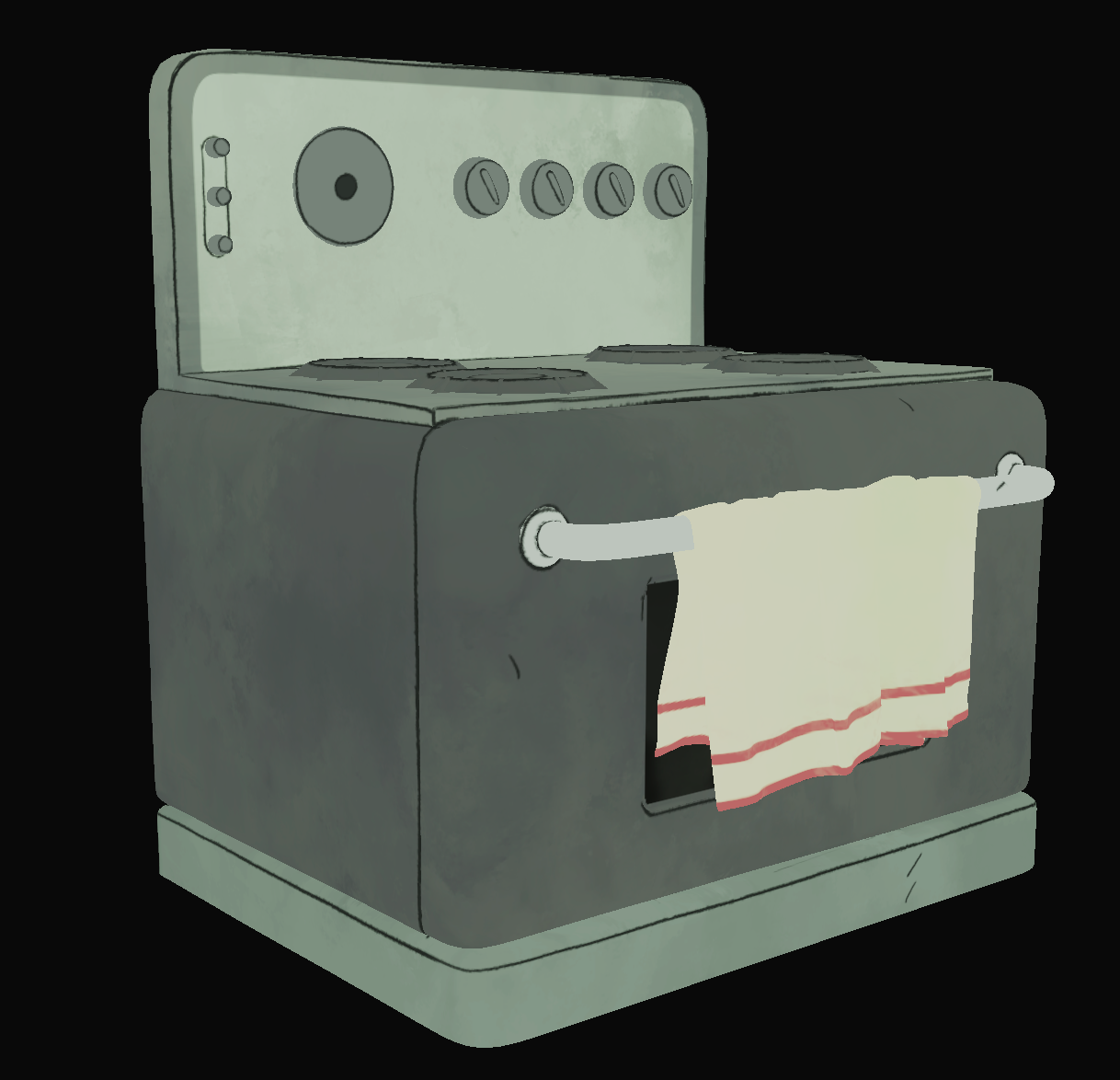
I don't mind modeling and I can have some fun with it but it just doesn't compare to allure of surfacing, so the moment I got a handful of assets to a decent spot I may have taken a detour... So here's a viewport screen grab of the oven's basecolor when I started fiddling with how I want to approach the shading! I found a pretty nice way to achieve the sort of color washing I saw in the reference material, but I'm not sold on my linework quite yet. I know a fair bit of it could be done in Blender procedurally instead, but I like the sketchy feeling doing it by hand creates (I just wish it didn't take quite so long).
04/08/2022
Mao Mao: The Beginning
So 12 & 1/2 cents (see the short film page!) has been wrapped for a month or so. I need a new project to tackle while job-hunting, and I figured I'd try my hand at something more stylized. Basically, I really enjoy the television show Mao Mao: Heroes of Pure Heart, and I'm going to attempt to recreate the kitchen environment in 3D. Also, my Maya education license has expired so I'm going to be diving into blender for the first time for this project.
I've collected quite a few screenshots from episodes as well as the official backgrounds from the show's wiki as reference, so now it's time to start blocking in the proportions of the set!
